
Sometimes, connections can appear to be problematic or even appear to be slow. Workspot sessions run on powerful servers, so if things appear to be lagging or non-responsive it may be your connection. Below are some tips to troubleshooting connection issues:
- Are you connected to the internet and is the connection stable?
- How is your Wi-Fi signal and proximity to the wireless router?
- If Wi-Fi is problematic, is plugging in to a LAN connection an option?
- If Wi-Fi is problematic, try using your phone as a hotspot.
- How are your internet speeds from your local computer? Speedtest by Ookla - The Global Broadband Speed Test
- How is your latency to the cloud? https://www.azurespeed.com/Azure/Latency
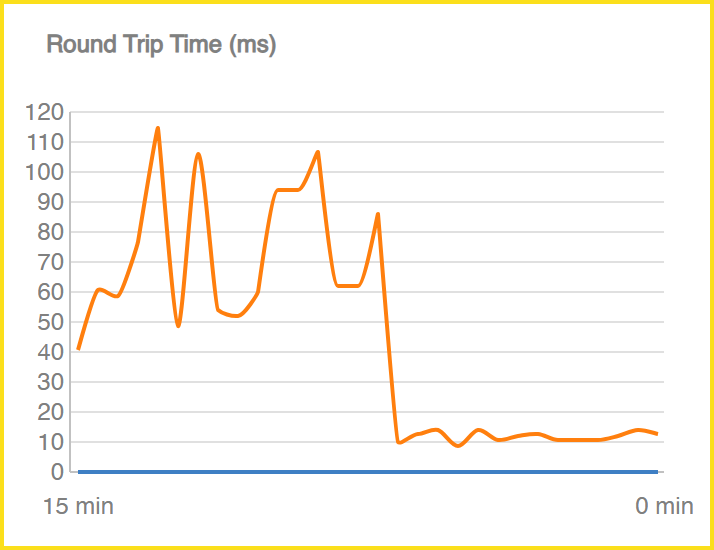
Example
Below is a clear example of how unstable connectivity can create the perception that Workspot is slow or broken. The higher the RTT (Round Trip Time) the worse the connection is. The user reported performance issues, but after reviewing the situation and addressing the underlying connectivity problem, the experience improved. The root cause was connectivity—not a Workspot or VM issue.
Comments
0 comments
Please sign in to leave a comment.